Saving an Independent Trucker $15K/Year in Missed Deductions
A mobile expense tracker built for a real client — an independent trucker losing thousands in missed deductions, lost receipts, and zero profit visibility.
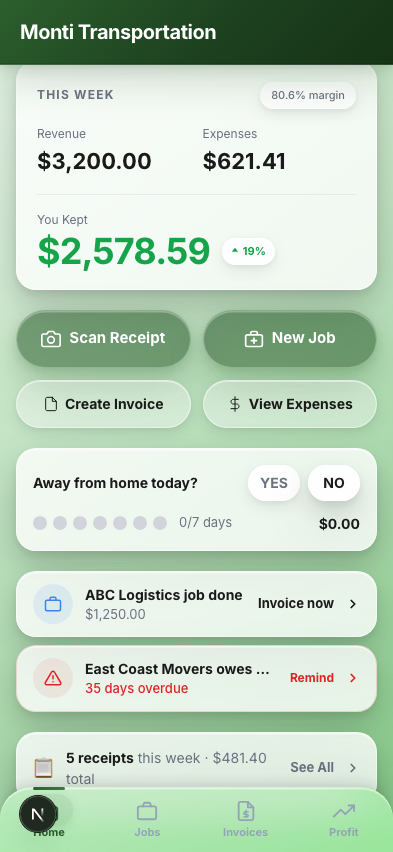
The Problem
Michael Monti is a real client — a 2-year independent owner-operator who managed every expense with a physical binder and guesswork. Receipts got lost in the cab, profit visibility was zero, and tax season meant scrambling through a shoebox of paper. He's "completely hopeless with technology" and does 90% of his work from his phone. The stakes: independent truckers miss $5,000–$15,000 in deductions annually from poor record-keeping, and in Trout v. Commissioner (2023), a trucker lost every deduction for lack of receipts.
Goals
- ▸Replace the physical binder with a 3-tap receipt scanner that works offline at truck stops
- ▸Give real-time profit visibility so Michael knows if a trip was worth it before accepting the next one
- ▸Design for work gloves, poor cell signal, and rest-stop lighting at 11pm
- ▸Use plain language — "You Kept" not "Net Profit," "Owed to You" not "Accounts Receivable"
Key Findings
I interviewed Michael and 4 other independent truckers, analyzed 6 competing products, and reviewed industry data from ATBS and OOIDA. The core finding: the problem isn't a lack of tools — every existing tool is built for fleets, not a solo operator in a cab.
"There hasn't been anything that looks too user friendly. It's all so complicated." Apps requiring more than 3 taps per task see 45% drop-off in the first week — every competitor requires 5–7+
85–90% of new trucking businesses fail within 2 years, primarily from cash flow problems. At $0.50/mile net, one bad load and you're barely covering fuel
The per diem deduction alone ($80/day, 80% deductible) is worth $3,500+ annually for a trucker away 250 nights — but most don't track it at all
Drivers prefer performing tasks via text message because existing apps are too complex. Tiny buttons, multi-step forms, and slow load times push them back to paper
From Wireframes to High Fidelity
Every screen was tested against one question: would this work at a truck stop at 11pm with tired hands and work gloves? 52px button heights (8px above WCAG minimum for gloves), 48px profit numbers (visible from arm's length), and a muted green palette that reduces eye strain.
Wireframes
Low-fidelity exploration of core screens and user flows
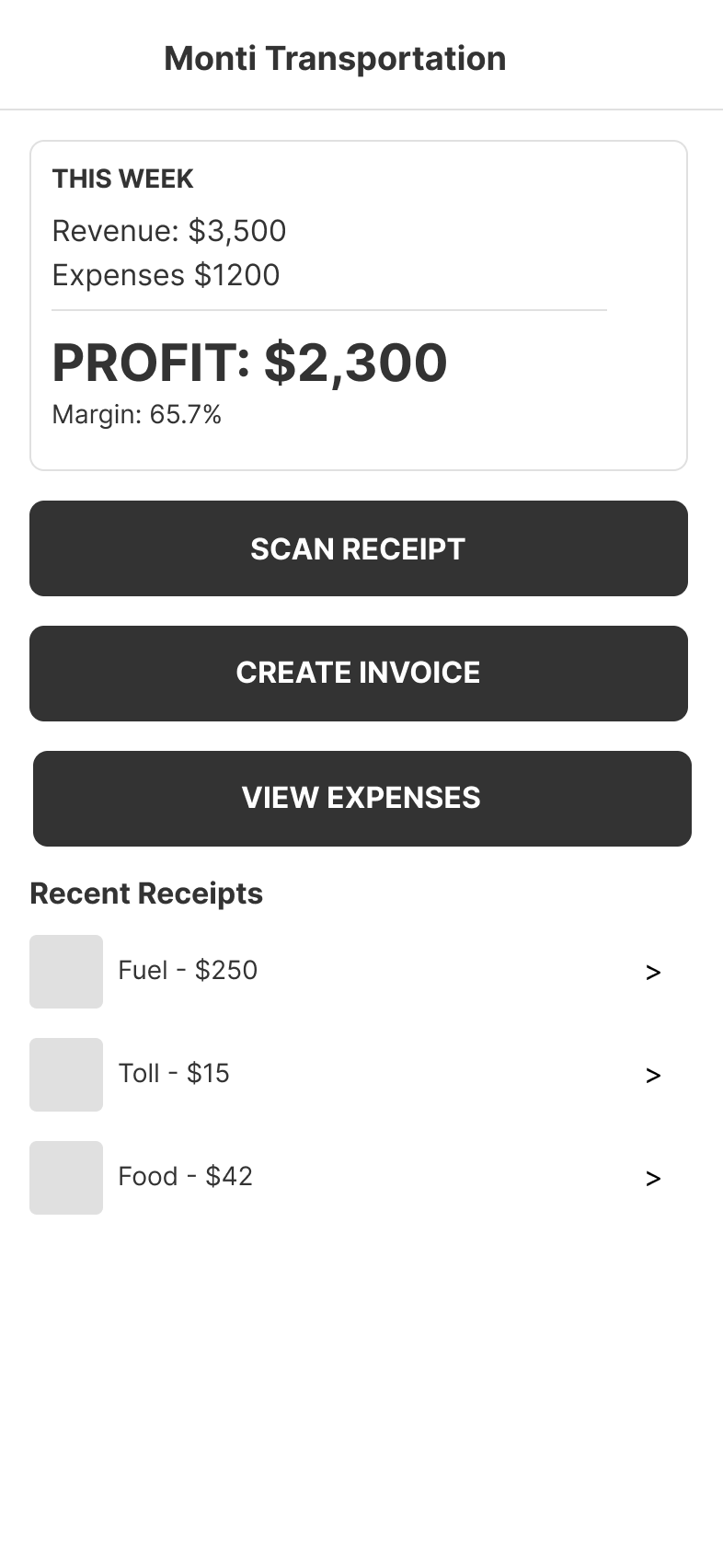
Dashboard
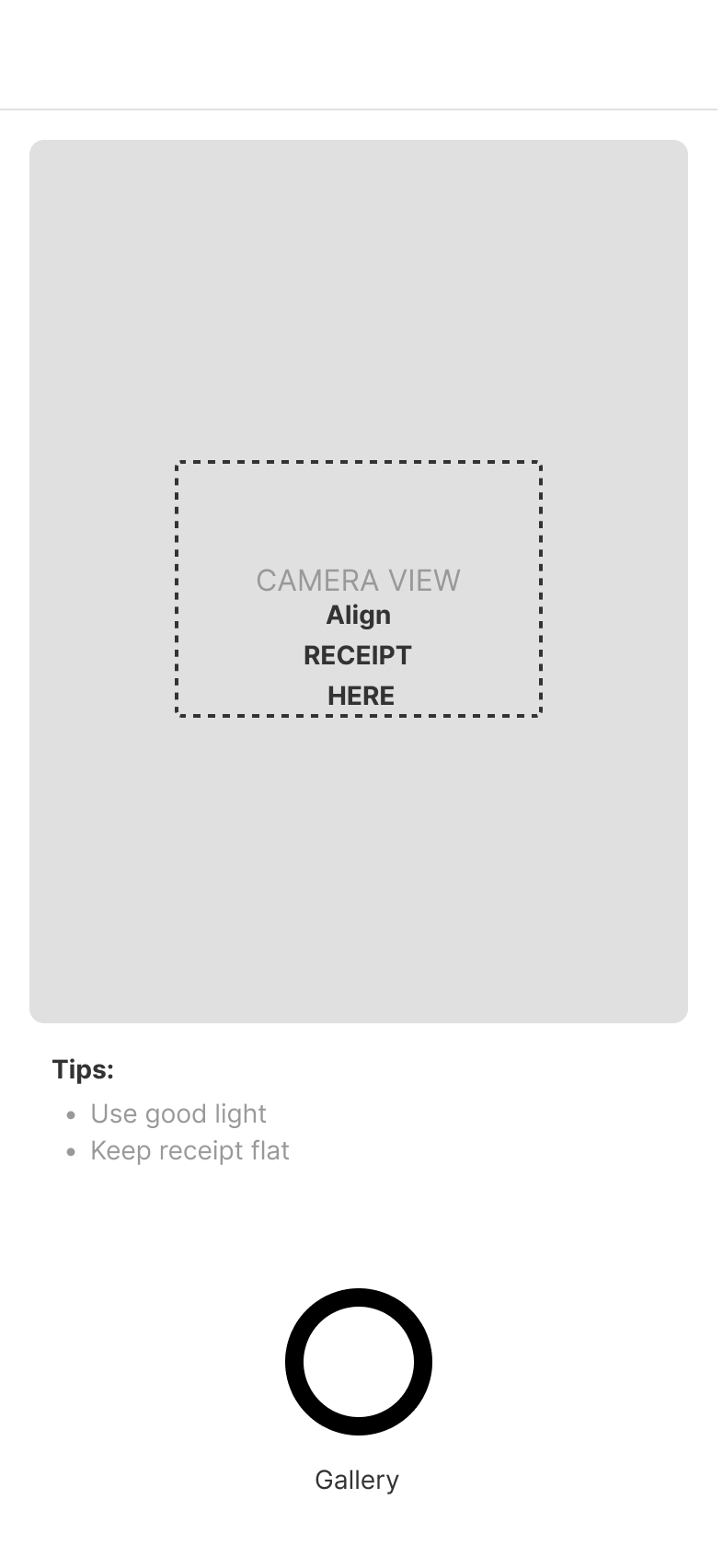
Scan Receipt
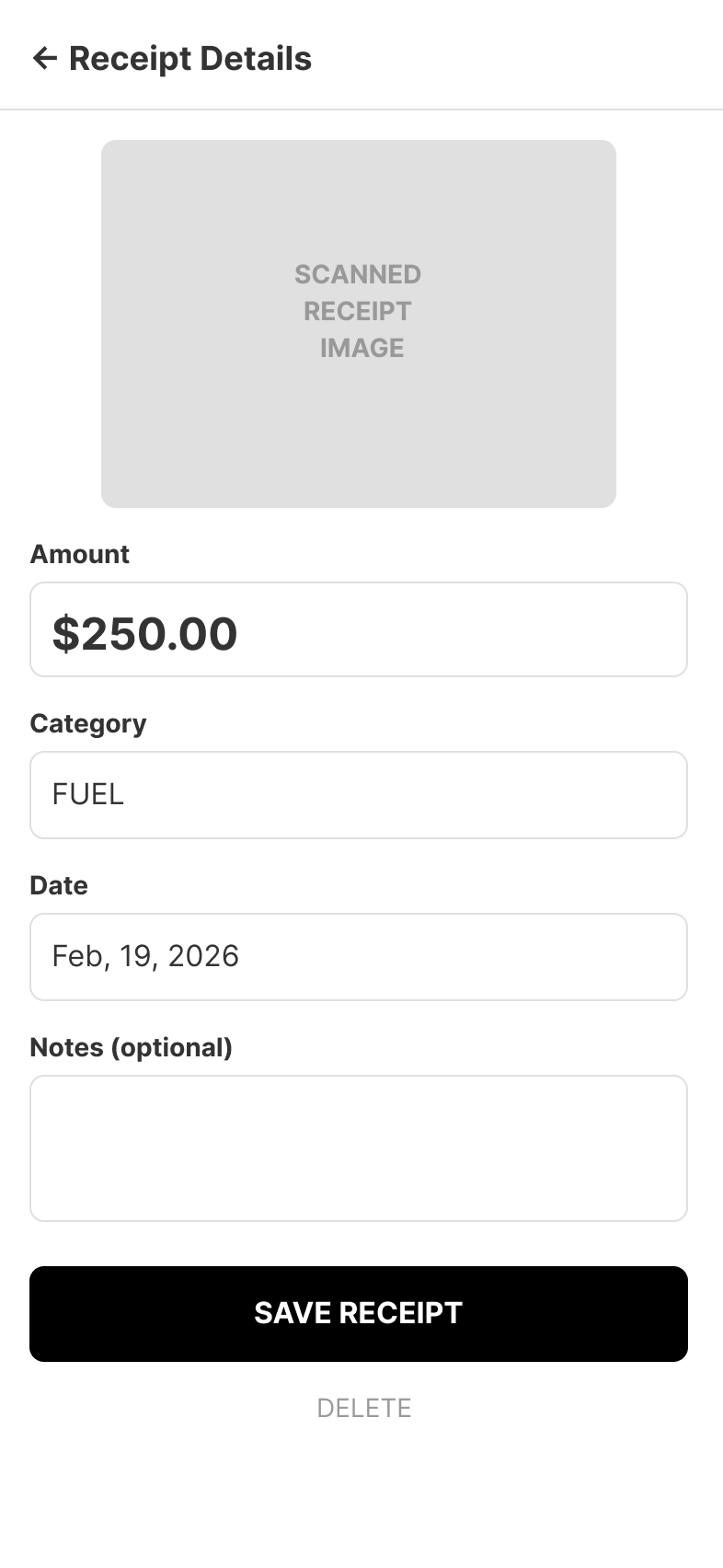
Receipt Details
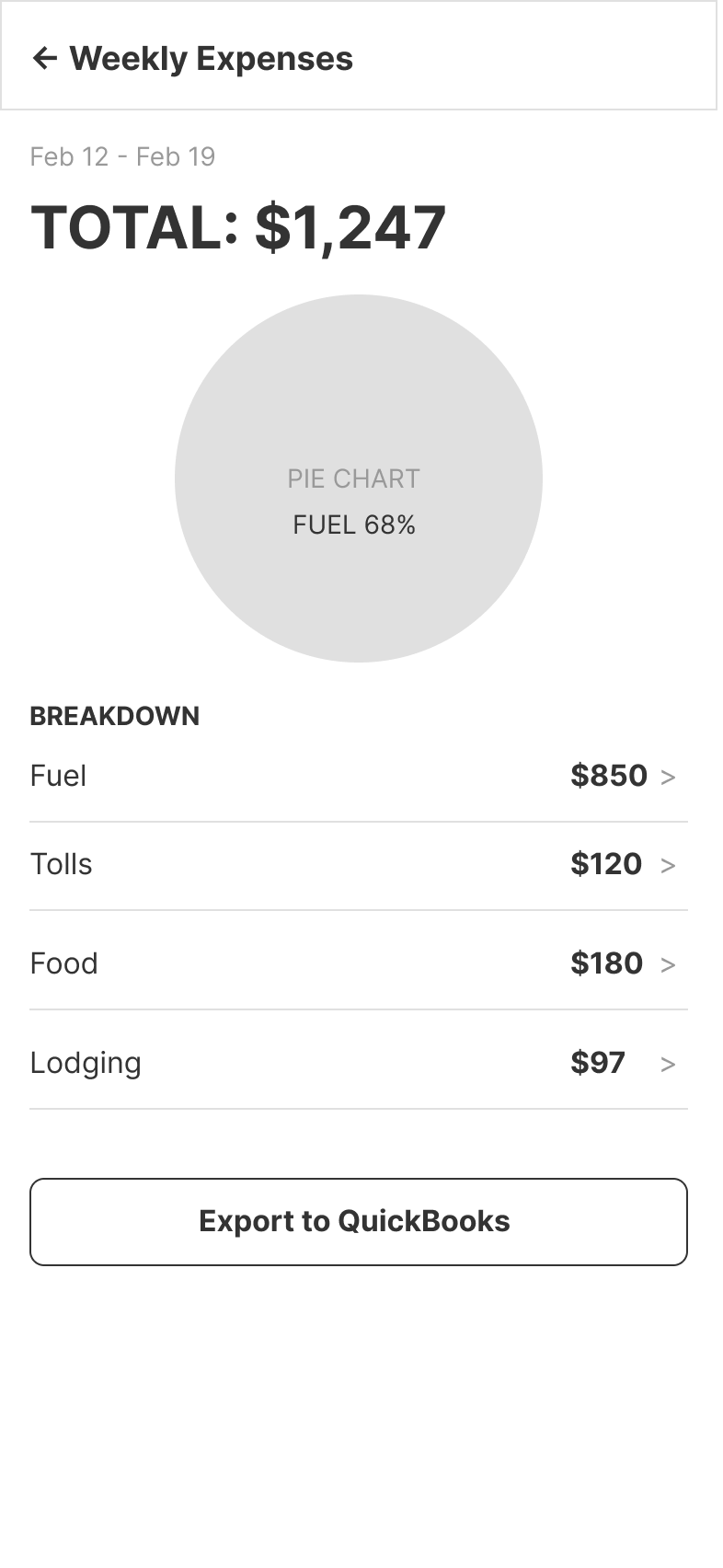
Weekly Expenses
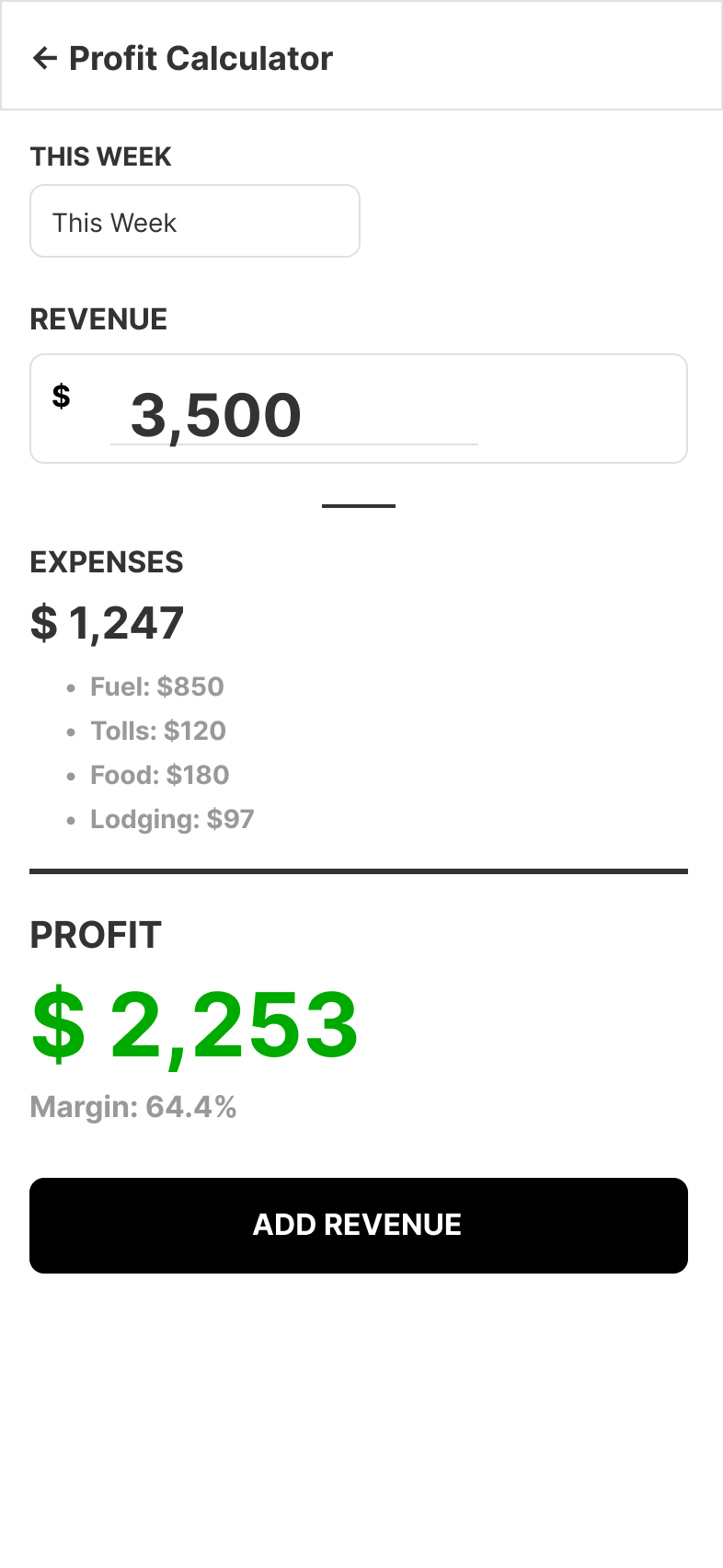
Profit Calculator
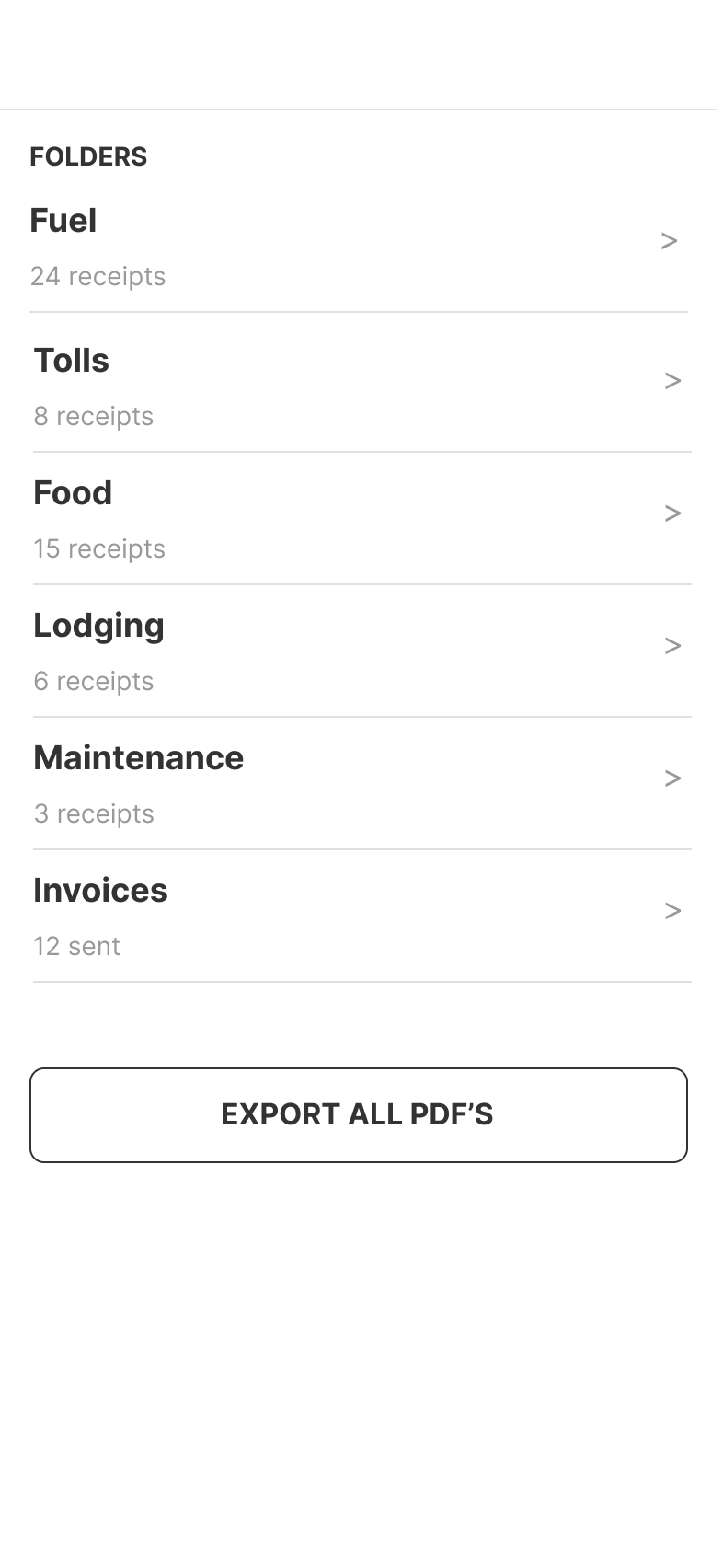
Documents
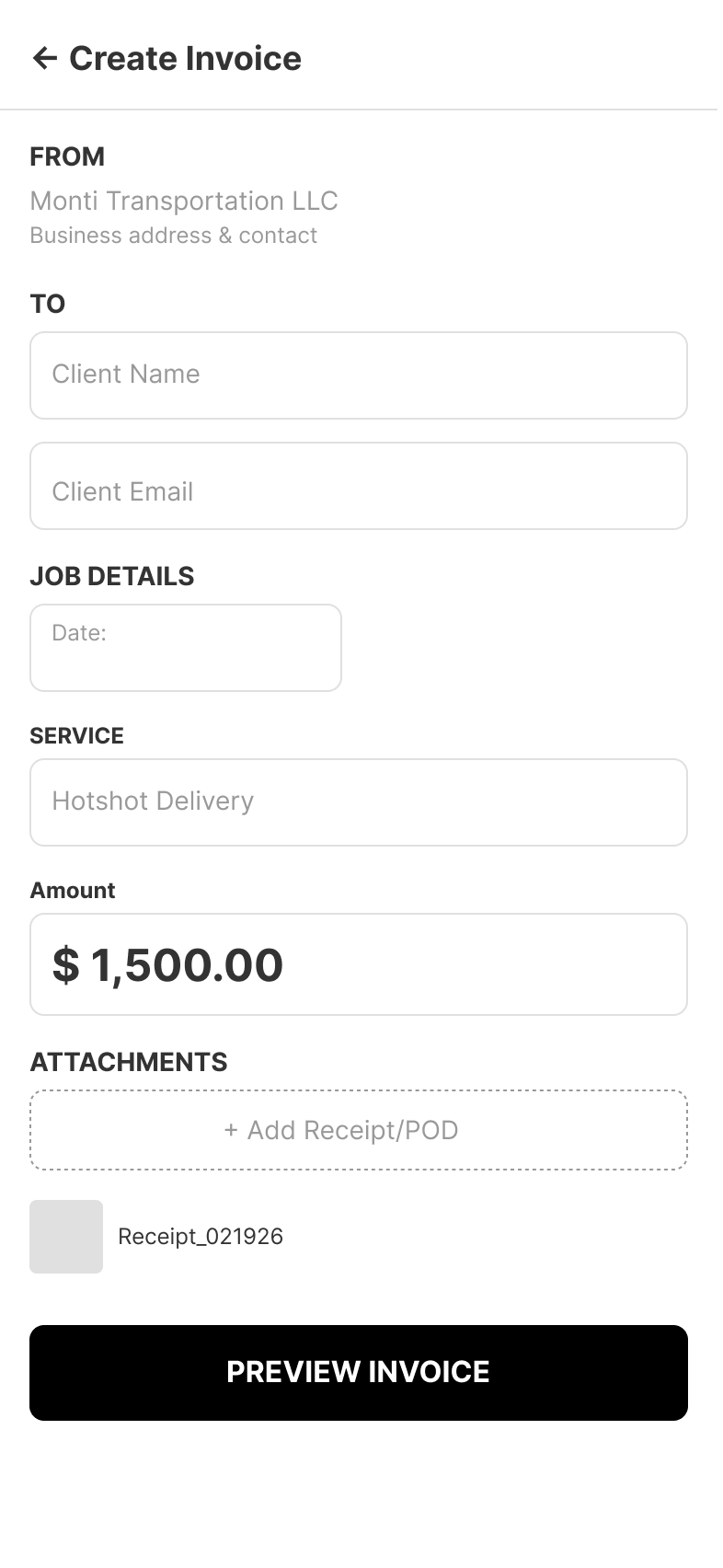
Create Invoice
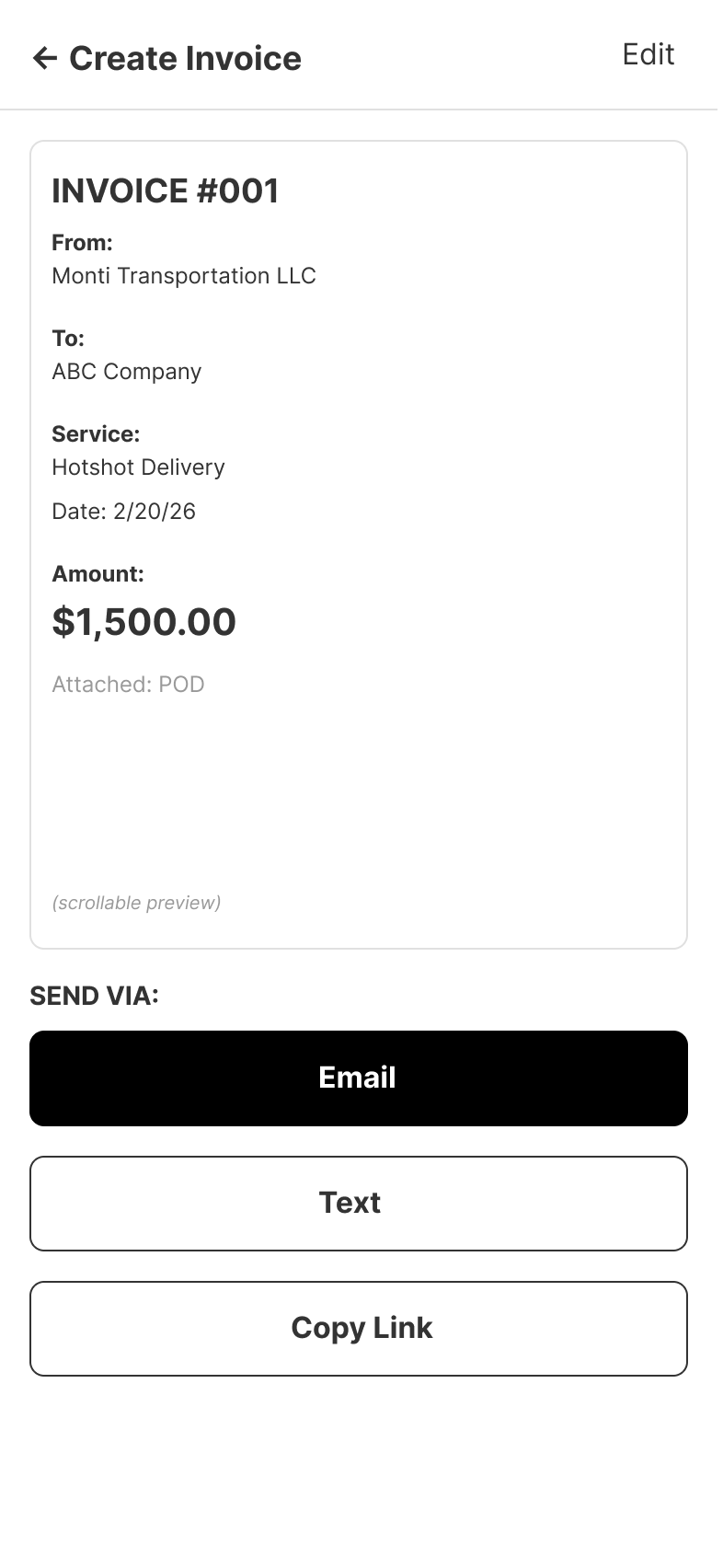
Invoice Preview
High-Fidelity Screens
Final designs with complete design system applied
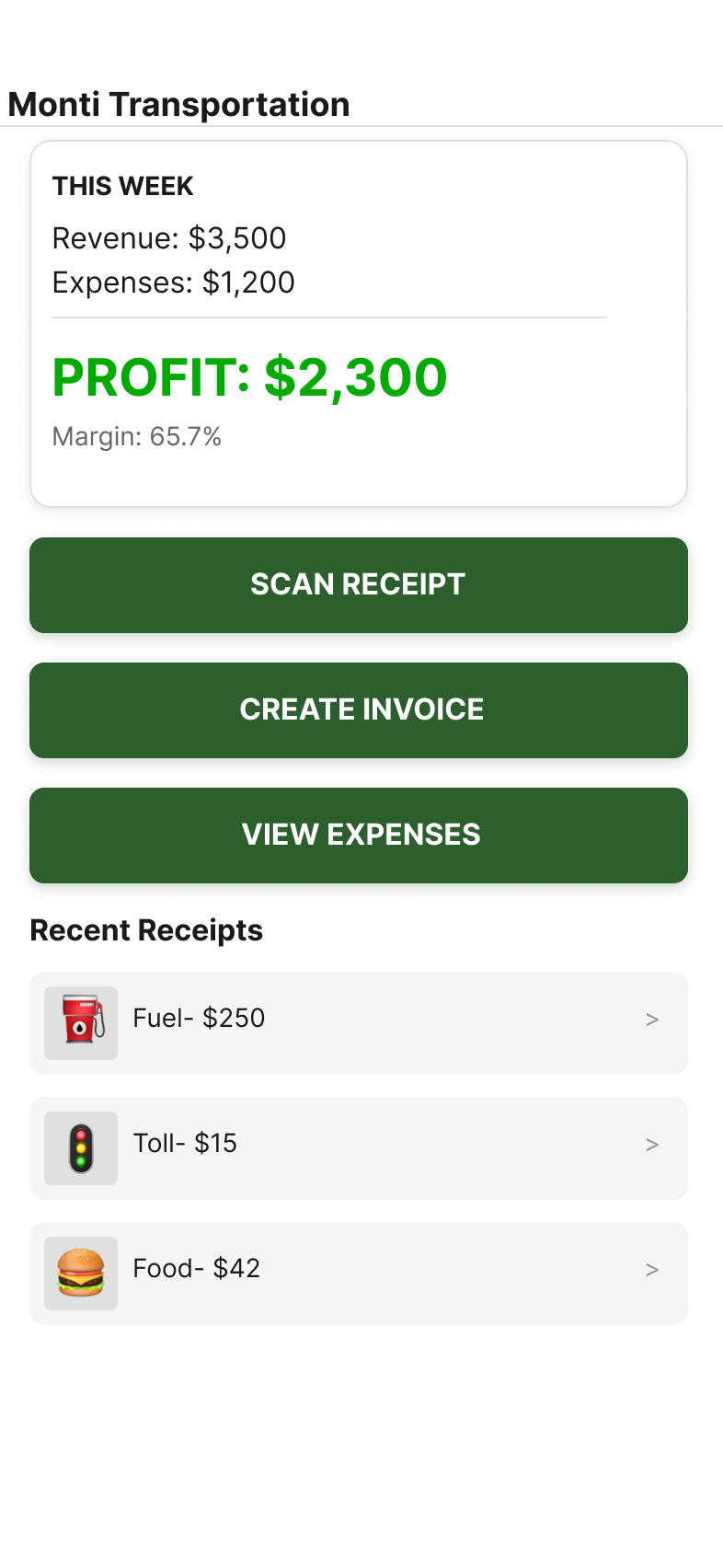
Dashboard
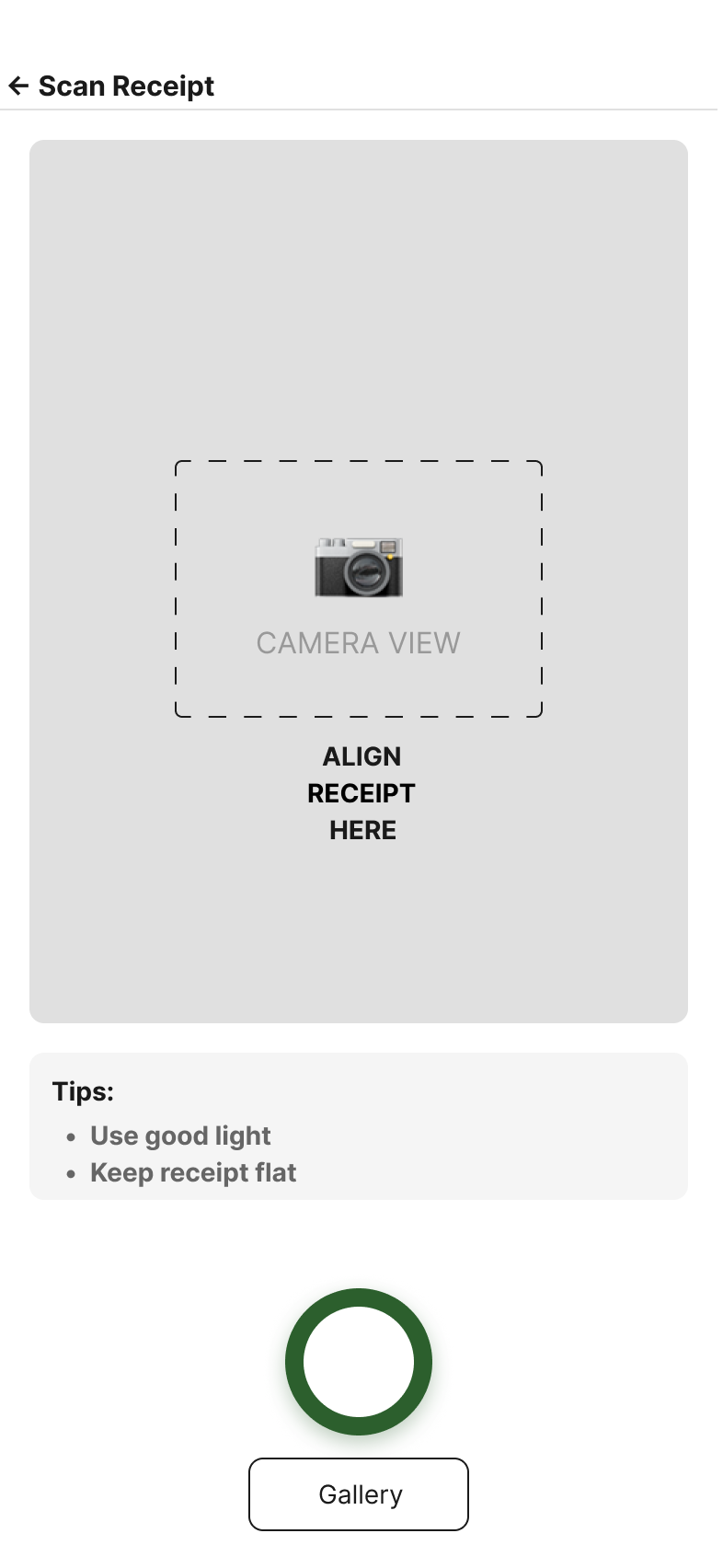
Scan Receipt
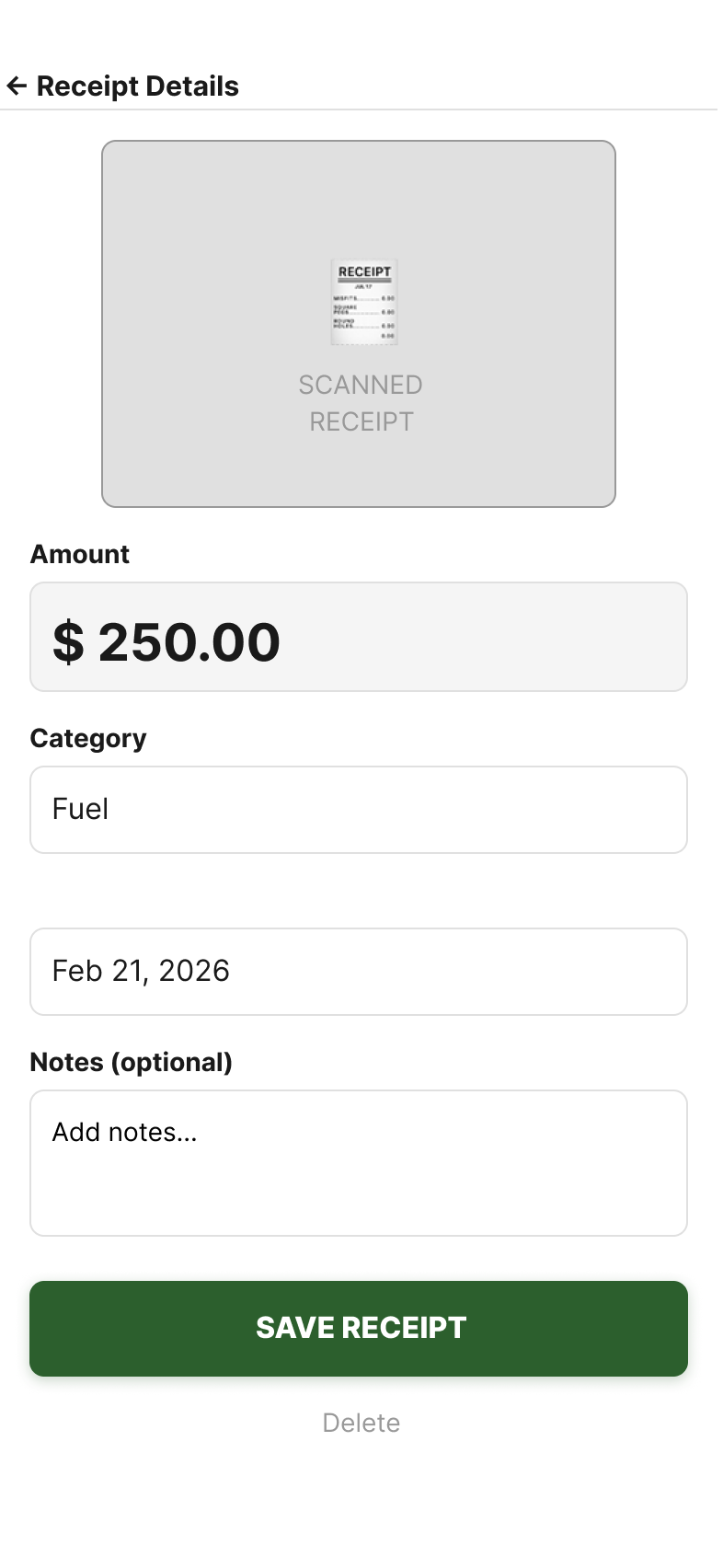
Receipt Details
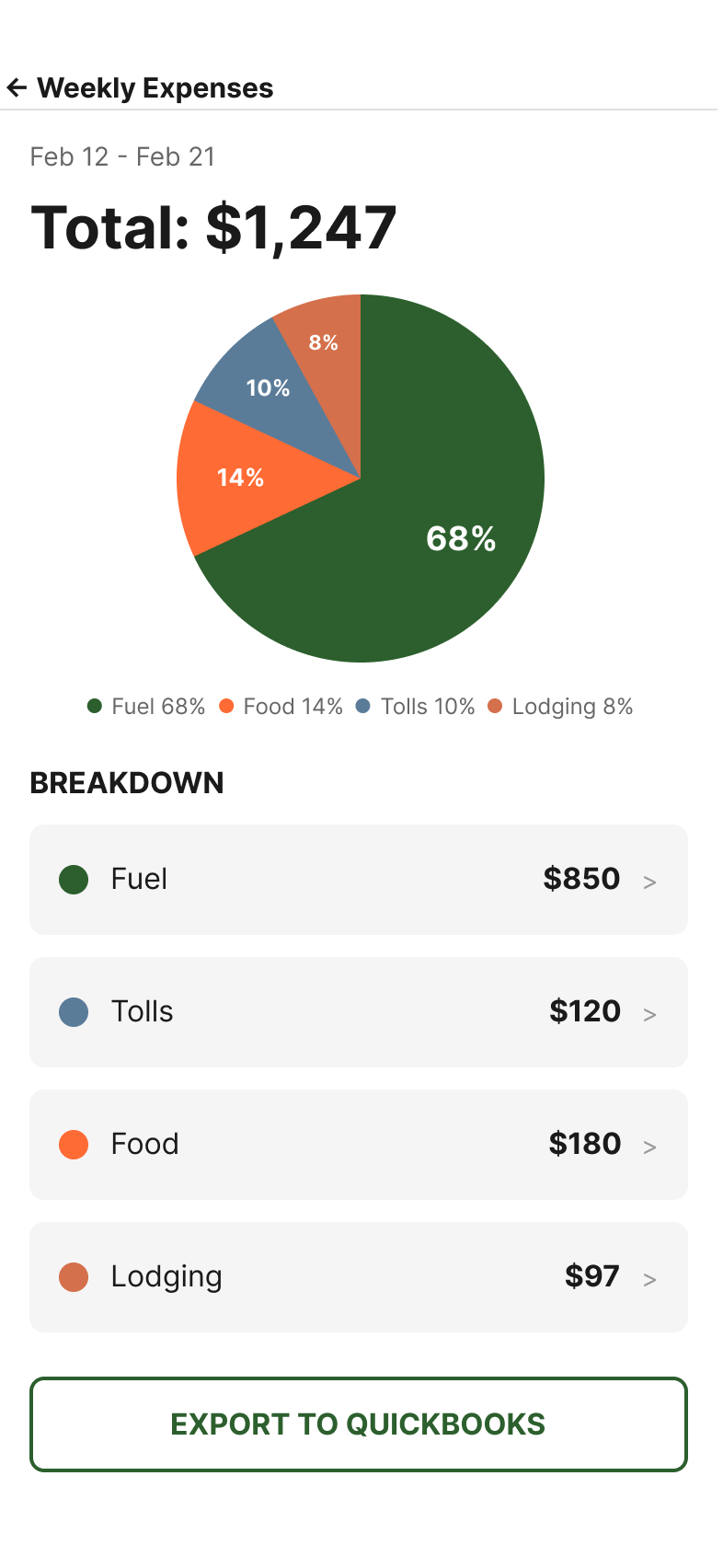
Weekly Expenses
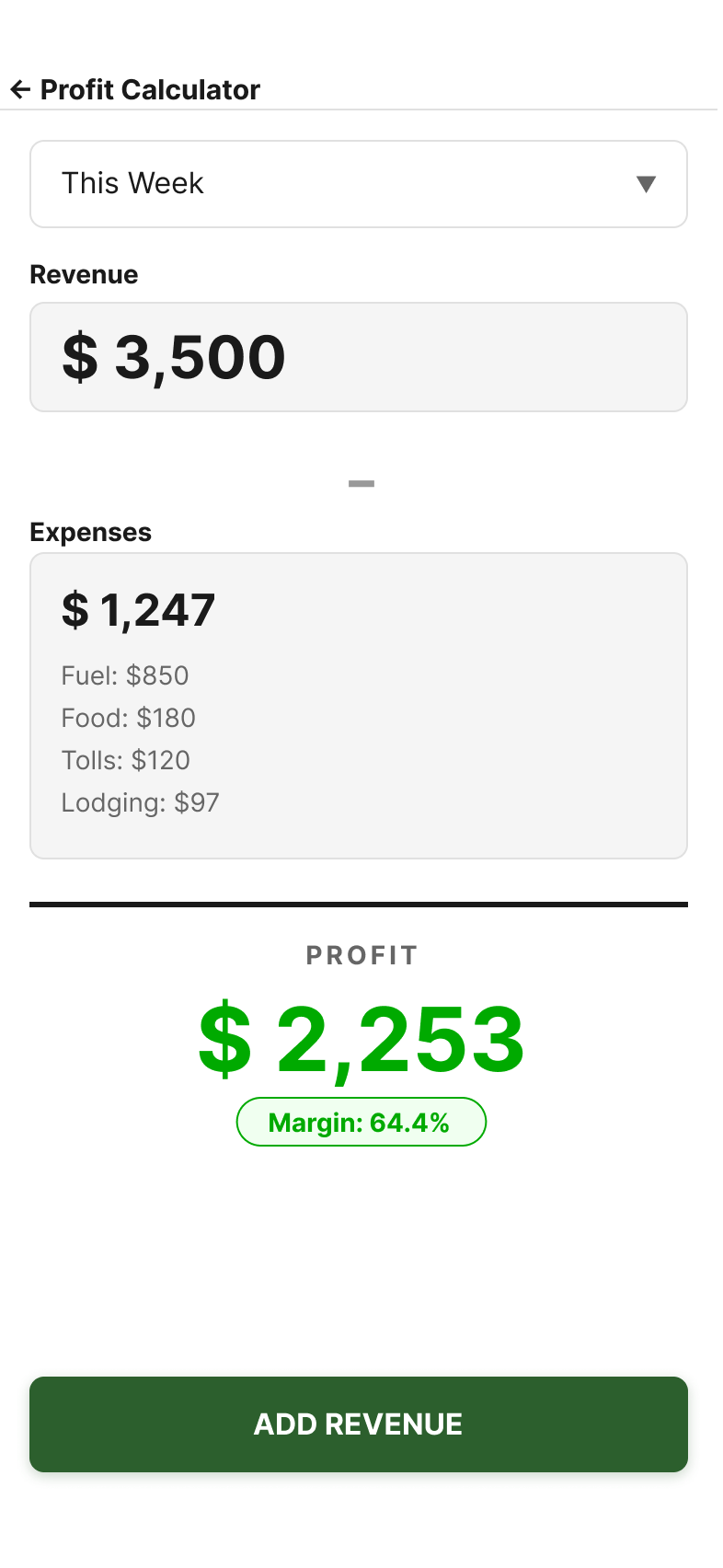
Profit Calculator
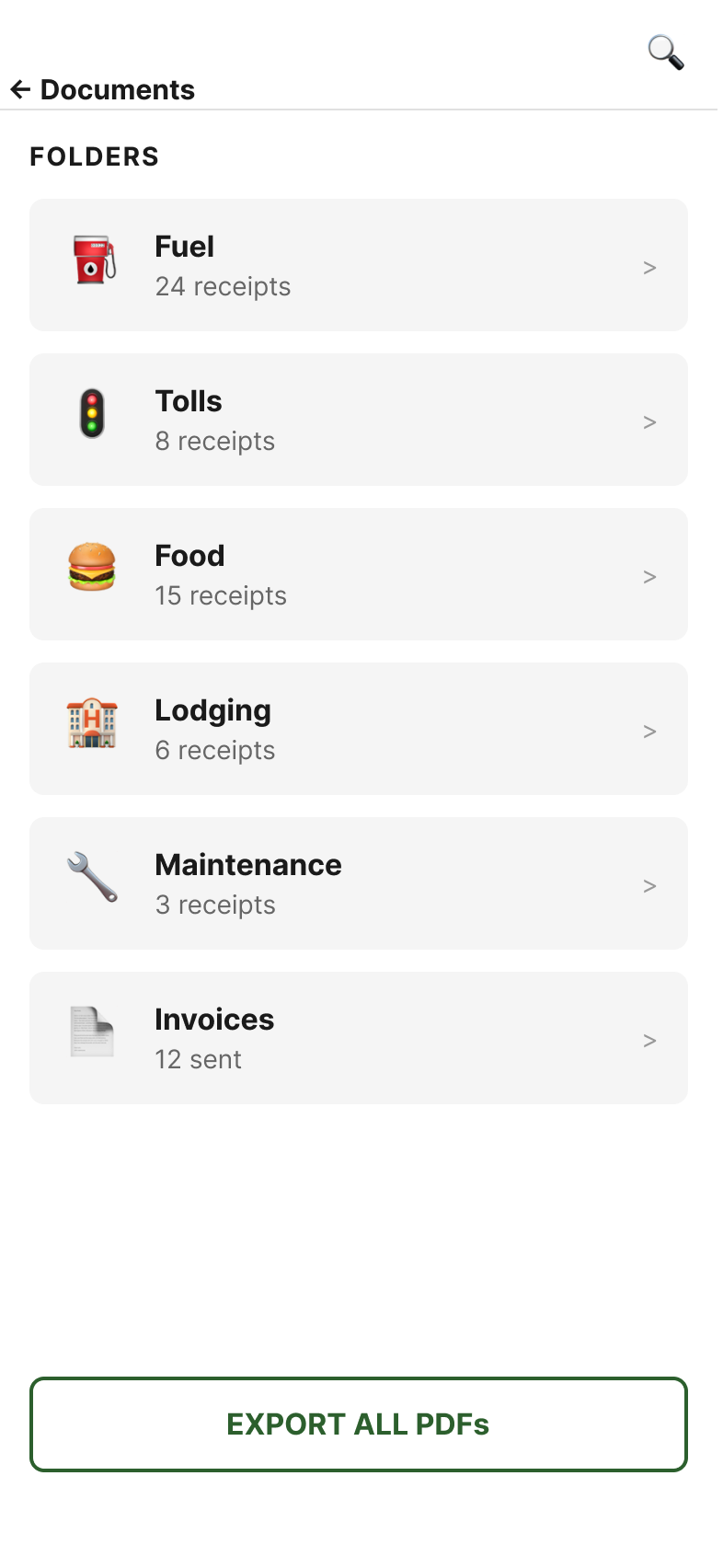
Documents
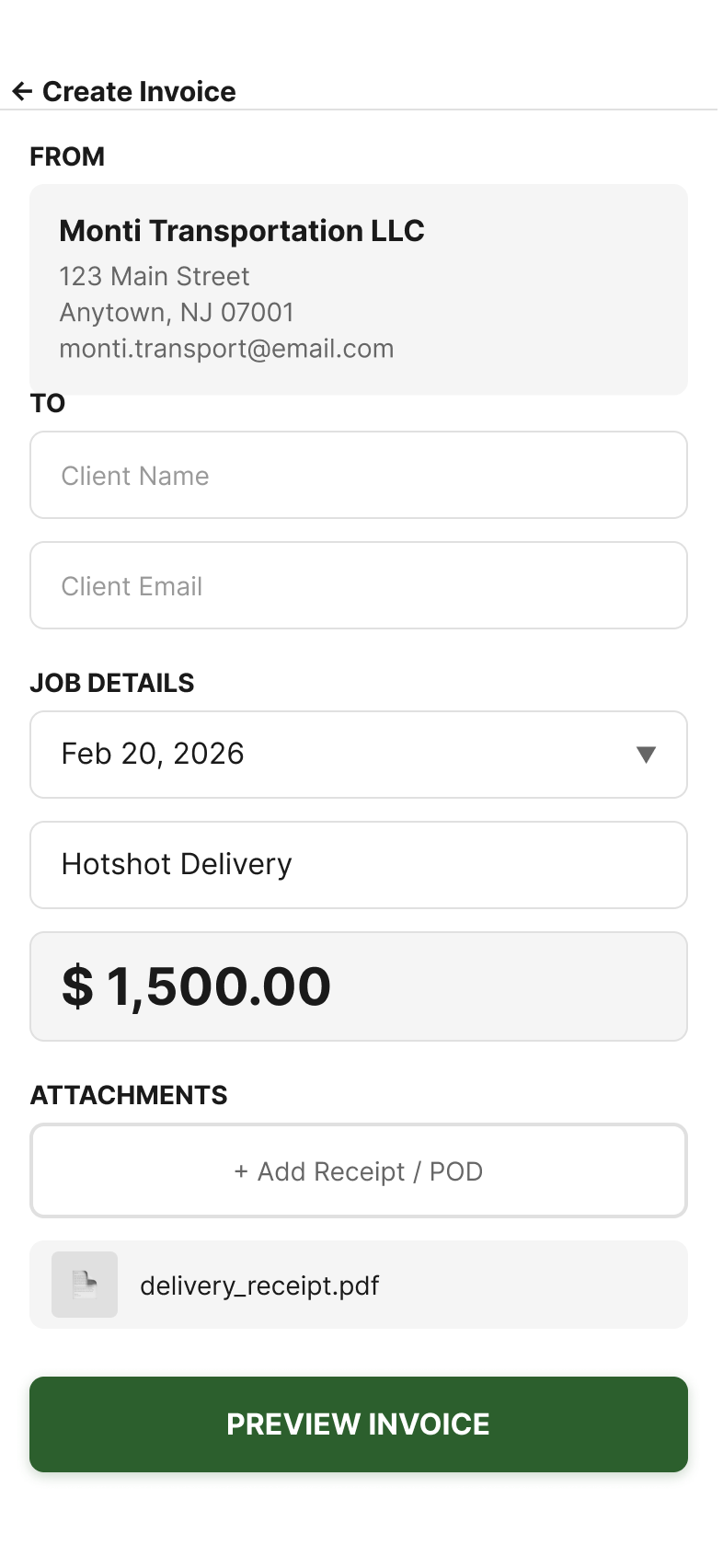
Create Invoice
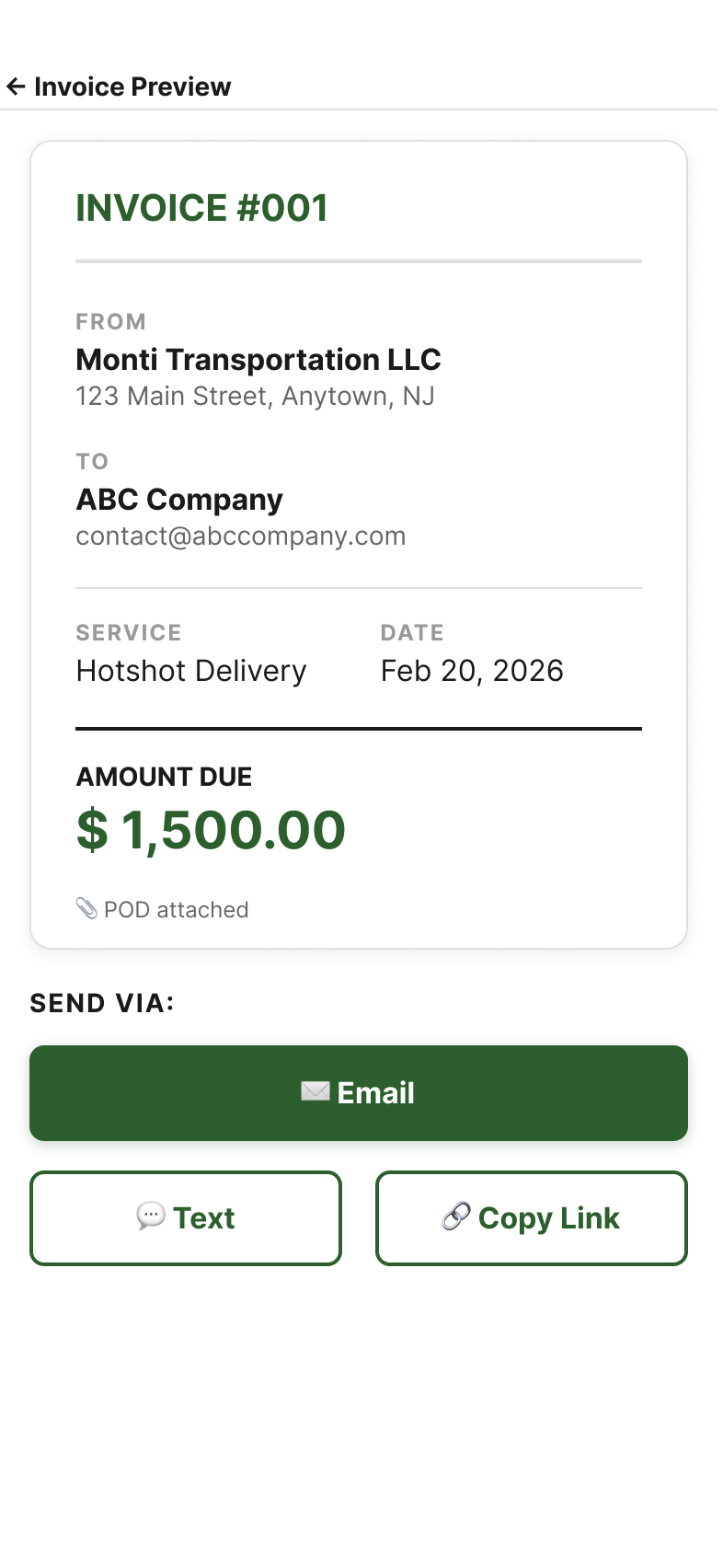
Invoice Preview
Visual Foundation
Color Palette
Typography Scale
Component Specs
Final Design
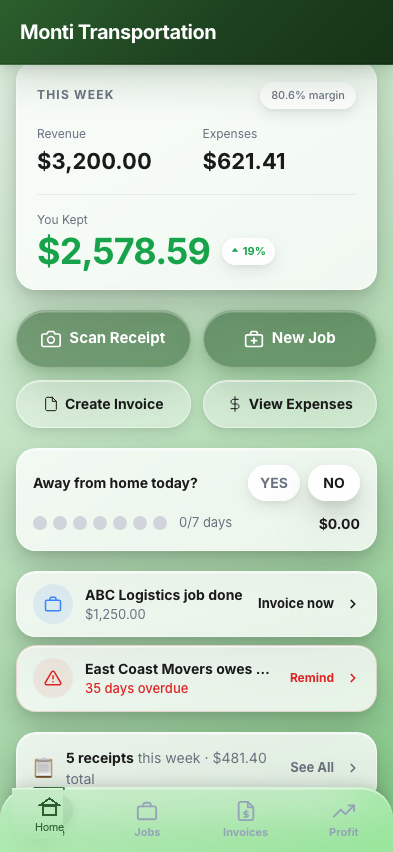
The app pushes data to Michael instead of making him come get it. Weekly profit snapshots, payment reminders, and tax deadline alerts make it feel like a business partner — not another tool to remember to open.
3-Tap Receipt Scanner
Open app, tap Scan, take photo — done. OCR auto-extracts vendor, amount, and date. One-tap categorization. Works offline at truck stops and syncs when signal returns.
"You Kept" Profit Calculator
48px bold profit number visible from arm's length. Real-time breakdown per trip, week, and month. No accounting jargon — just "Revenue," "Spent," and "You Kept."
Color-Coded Expense Tracker
Every expense auto-tagged with emoji icons by category. Weekly trend comparisons catch cost creep before it eats margins. Visual breakdown shows exactly where money is going.
One-Tap Invoice Generator
Professional invoices from trip data — no more hand-written invoices that get "lost" by brokers. PDF export for email or print. Faster invoicing means faster payment.
Decision Points
Every decision was filtered through Michael's reality: a solo operator working 60-hour weeks from a truck cab.
Who is this app for — solo operators or fleet managers?
Build for fleets of 50+ trucks with multi-user admin and enterprise reporting — the market every competitor targets
Build exclusively for solo owner-operators who manage everything from their phone
350,000+ solo operators are underserved because every competing product (McLeod, Verizon Connect, TruckLogics) targets fleets. Building for one user deeply beats building for every user superficially.
How should expense categories be organized?
Use IRS Schedule C line items (Line 9, Line 22) for tax-accurate categorization
Use emoji-labeled plain-language categories — Fuel, Food, Tolls, Lodging, Maintenance — that map to IRS categories behind the scenes
Michael self-describes as 'completely hopeless with technology.' Emojis provide instant visual recognition even with tired eyes at 11pm. The app translates to IRS categories at export time.
What language should the app use for financial data?
Standard accounting terminology — Net Profit, Gross Revenue, Accounts Receivable
Plain language — 'You Kept' instead of Net Profit, 'Owed to You' instead of Accounts Receivable
Truckers who feel confused by an interface abandon it within a week. 'You Kept: $2,847' communicates instantly. 'Net Profit: $2,847' requires a mental translation step every single time.
What Changed After Client Feedback
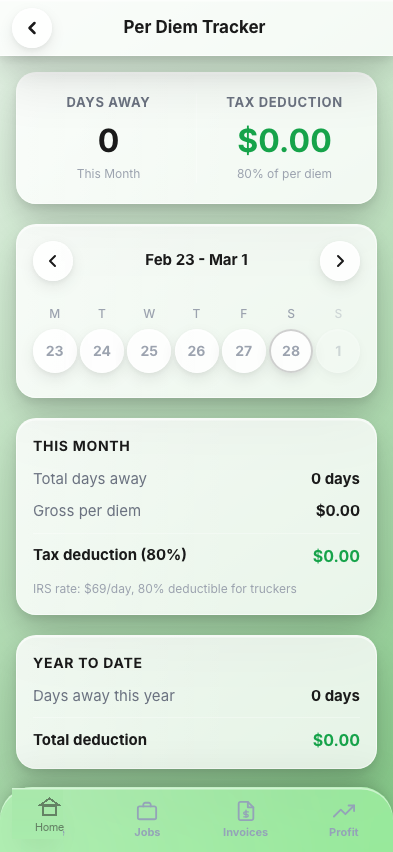
After usability testing, Michael's feedback was immediate: "Where do I track my per diem?" and "How do I know what I can deduct?" He was right — the original 8 screens solved the daily workflow but missed the bigger financial picture. The IRS per diem deduction ($80/day, 80% deductible) is worth $3,500+ annually, and Michael wasn't tracking it at all. So I built it with Claude Code: a frontend agent translating Figma tokens to Tailwind CSS, a backend agent setting up Supabase with real IRS tax logic, a QA agent writing test suites, and a microcopy agent keeping the language plain. I reviewed every component against the spec, the way a design lead reviews a dev team's work. The result: a production-grade Next.js 16 + Capacitor 8 app being prepared for App Store submission.
Updated Dashboard
Per Diem Tracker
Tax Summary
Job Pipeline
Per Diem Tracker
A weekly calendar where Michael taps each day he's away from home. The app calculates the IRS deduction automatically and shows monthly and year-to-date totals. This single screen could recover $3,500+ per year. The design mirrors a wall calendar — not a spreadsheet, not a form, just 'was I home today?'
Tax Deduction Summary
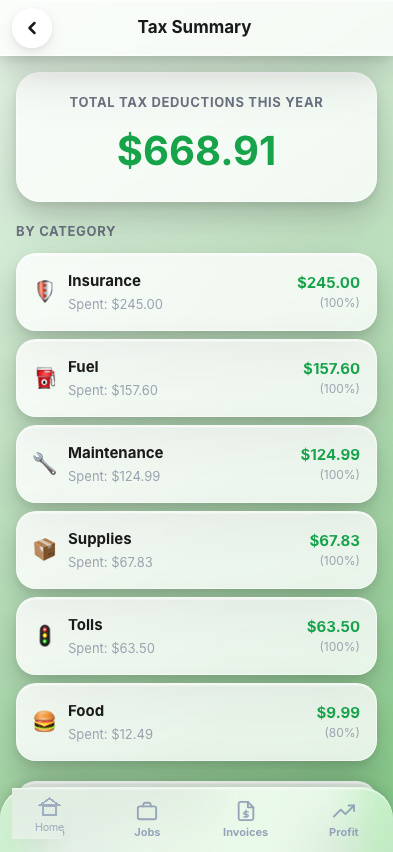
Year-to-date view of every deductible expense by category with a hero total at top. A 'Don't Forget These' checklist surfaces commonly missed deductions: phone bills, truck washes, logbook fees, parking.
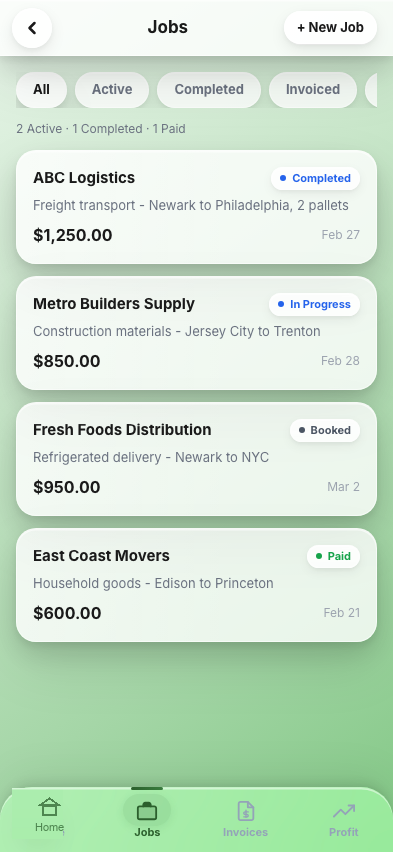
Job Pipeline
Filter tabs (All, Active, Completed, Invoiced, Paid) with a summary bar. Each job card shows client, route, rate, and delivery date. The '+ New Job' button means he can log a job the moment a broker calls.
From Figma to App Store with AI Agents
The 2026 design workflow: I used Claude Code to spawn specialized sub-agents for frontend, backend, QA, and microcopy — each consuming my Figma design system as the single source of truth. I operated as the design lead, setting the vision and iterating until every screen matched pixel-for-pixel. The stack: Next.js 16, Capacitor 8, Tailwind v4.
Results & Outcomes
Usability testing with 5 participants validated the app works for its target user. Michael adopted the prototype immediately. The updated dashboard now prompts daily for per diem tracking and surfaces overdue invoices — pushing money-saving actions instead of waiting for him to remember.
This project taught me that the best interfaces aren't the most feature-rich — they're the ones that respect the user's context. Solo truckers don't need an enterprise dashboard with 50 tabs. They need three things: scan the receipt, see the profit, send the invoice. Everything else is noise.
What the Client Said
I used to lose receipts every single week. Now I scan them in 3 seconds from the cab and I know exactly where my money's going. This is the first app that actually makes sense for how I work.